

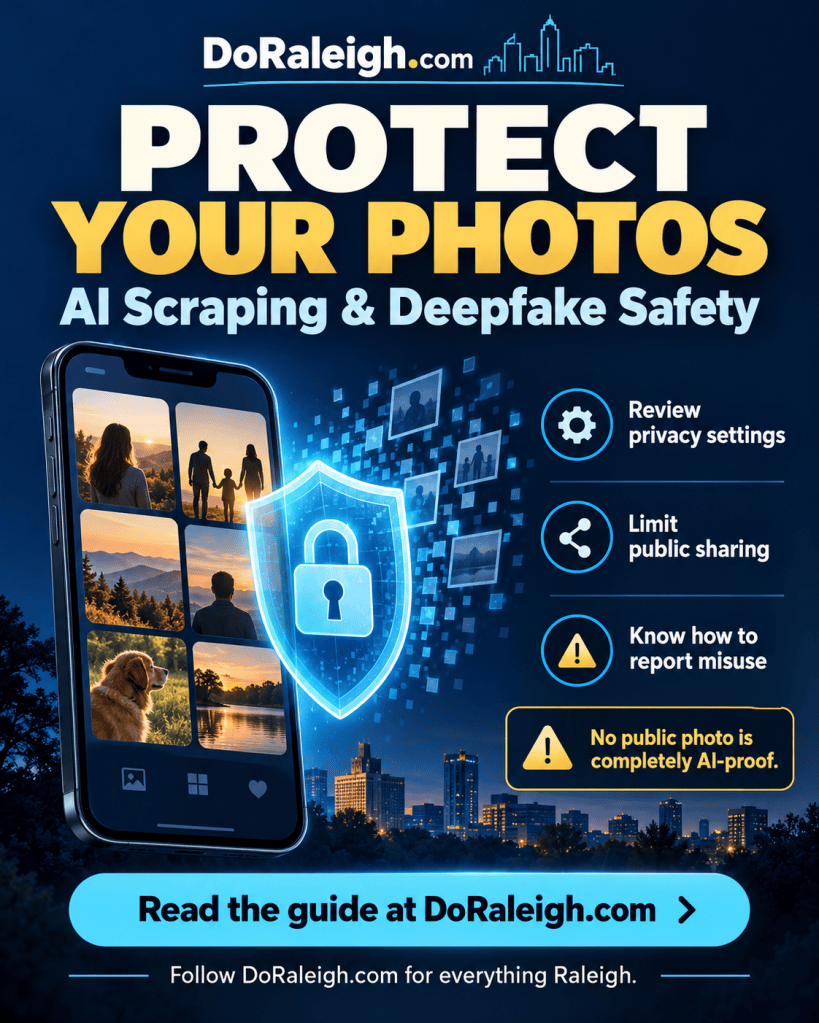
Sharing a family photo, event snapshot or professional headshot can put more than a memory online. Public images can be collected, copied or manipulated, creating privacy concerns for Raleigh families, creators, businesses and community organizations.
The strongest first step is to limit who can access your pictures. Privacy settings, selective sharing and available AI training controls can reduce exposure. However, no watermark, filter or account setting can guarantee that a publicly visible photo will never be copied or used in a deepfake.
BTDesigns gave us some practical ways to protect your social media photos—and steps to take if someone misuses them.
Understand AI Scraping and Deepfake Risks
These terms describe different activities:
- AI scraping: Automatically collecting online content, potentially including public photos.
- AI training: Using data to develop or improve an artificial intelligence model.
- Deepfakes: Generated or manipulated media that falsely depict a real person.
An AI training opt-out limits a particular company’s use of your information. It does not prevent someone from copying a public photo and uploading it to another service.
1. Limit Who Can See Your Pictures
For personal photos, use private accounts or restricted audiences where available. Review older posts as well as future sharing settings.
Start with these steps:
- Remove unfamiliar followers.
- Review public albums, profile pictures and cover photos.
- Check story audiences and tagging controls.
- Ask permission before posting identifiable pictures of others.
- Share sensitive family photos through restricted albums or directly with trusted people.
Remember that approved viewers can still save or redistribute pictures. Australia’s eSafety Commissioner recommends privacy controls and direct sharing with trusted people to help protect children’s privacy.
2. Review Platform AI Training Settings
Controls vary by platform and location. Follow official help pages rather than viral posts promising a universal opt-out.
Facebook and Instagram
Meta says public Facebook and Instagram posts—including photos and text—have been used to train its generative AI models. Review the Meta Privacy Center for current information.
Meta offers an objection process for people based in the European Union. Raleigh and other U.S. readers should not assume that instructions written for European users apply to their accounts. Check the controls available in your region.
X and Grok
X’s official instructions list a training control under:
Settings and privacy → Privacy and safety → Data sharing and personalization → Grok & Third-party Collaborators
Disable the option allowing your public data and Grok interactions to be used for training and fine-tuning. Consult the current X instructions if menu labels change.
These controls do not prevent unrelated people or services from copying publicly accessible images.
3. Remove Location Information and Check Backgrounds
Before sharing, inspect the picture for details you do not want public:
- Home addresses or street signs.
- School names and uniforms.
- Identification badges.
- License plates.
- Information about children’s routines.
Review location metadata, too. Apple offers controls for removing a photo’s location or sharing without location information. Google cautions that visible landmarks may still reveal where a picture was taken.
Removing location information protects location privacy; it does not prevent facial manipulation.
4. Use Watermarks With Realistic Expectations
For public-facing photography, consider a visible name or brand watermark and keep full-resolution originals privately.
A watermark can help identify the source, but it can be cropped or removed. Similarly, posting a smaller copy limits the original detail you distribute without making the image safe from deepfakes.
Treat these measures as supporting precautions rather than guaranteed protection. Keep original files and publication records to help document an image’s history if misuse occurs.
5. Be Skeptical of “AI-Proof” Photo Tools
Tools designed to interfere with one AI task may not protect against another.
For example, the University of Chicago’s Glaze project focuses on protecting artists against style mimicry. Its FAQ says it does not provide consistent protection against image-to-image attacks, including inpainting and style transfer. It should not be presented as a guaranteed deepfake shield for personal photos.
Before uploading private pictures to a protection service, check who operates it, whether processing happens on your device, and how uploaded images are stored or used.
6. Protect Children’s and Community Photos
Raleigh schools, nonprofits, youth programs and event organizers can make photo consent part of their publishing process.
Offer a way to decline public photos. Avoid pairing children’s full names with identifiable images, and consider whether an activity-focused picture can tell the story without a close-up portrait.
eSafety reports that publicly available school and social media pictures can become source material for sexualized deepfakes. Reducing exposure is a precaution; responsibility for abuse remains with the person creating or sharing it.
What to Do if Someone Creates a Deepfake of You
Document and Report the Misuse
Record account names, page URLs, dates, threats and report confirmation numbers. Report non-explicit impersonation or scams through the platform’s impersonation, fraud or harassment process.
If explicit material depicts a minor, do not download or forward it to gather evidence. Preserve links and account details and seek assistance through NCMEC’s CyberTipline.
Request Removal of Nonconsensual Intimate Images
Covered U.S. platforms must provide a process for requesting removal of qualifying nonconsensual intimate images, including AI-generated deepfakes. The FTC says qualifying content and known identical copies must be removed within 48 hours of a valid request.
Report missing or broken removal processes—or failures to comply—at TakeItDown.ftc.gov. This requirement concerns covered intimate-image content, rather than every unwanted photo or ordinary deepfake.
Use Eligible Image-Matching Services
For adults: StopNCII.org creates a digital fingerprint of eligible intimate images on your device for participating platforms. Its eligibility guidance includes certain synthetic or deepfake images. It cannot remove material from the entire internet.
For imagery taken when someone was under 18: NCMEC’s Take It Down offers a free service for eligible nude, partially nude or sexually explicit images. Do not download, send or share material to submit it. If you do not already have the file, contact NCMEC for guidance.
These services address eligible intimate imagery; they are not general registration services for ordinary selfies.
Request Removal From Google Search
Google accepts removal requests for personal sexual imagery, including fake images using someone’s likeness. Removing a search result does not delete the original website’s content, so report it to the hosting platform as well.
Check Before You Post
Before publishing a photo, ask:
- Does it need to be public?
- Have the people pictured agreed to public sharing?
- Does it reveal a location, address, school or routine?
- Could a restricted album serve the same purpose?
- Have available AI training controls been reviewed?
- Is the original stored privately?
Deliberate sharing can reduce exposure, while knowing the reporting options can help if misuse occurs. Abuse is never the fault of the person pictured.
Platform controls and reporting guidance checked October 26, 2026. Availability and menu labels may change.
Follow DoRaleigh.com for daily updates on government meetings, local festivals, and community happenings — your one-stop guide to everything Raleigh!
Connect With Us: Instagram | Facebook | BSky | Linkedin
Share With Us: Post your community News, Events, on our Submissions Page.
Advertise With Us: Interested in Advertising click here.
Published by Bryan Tomlinson
Design, Optimization, and Marketing Services Provided by BTDesigns.pro



Leave a Reply